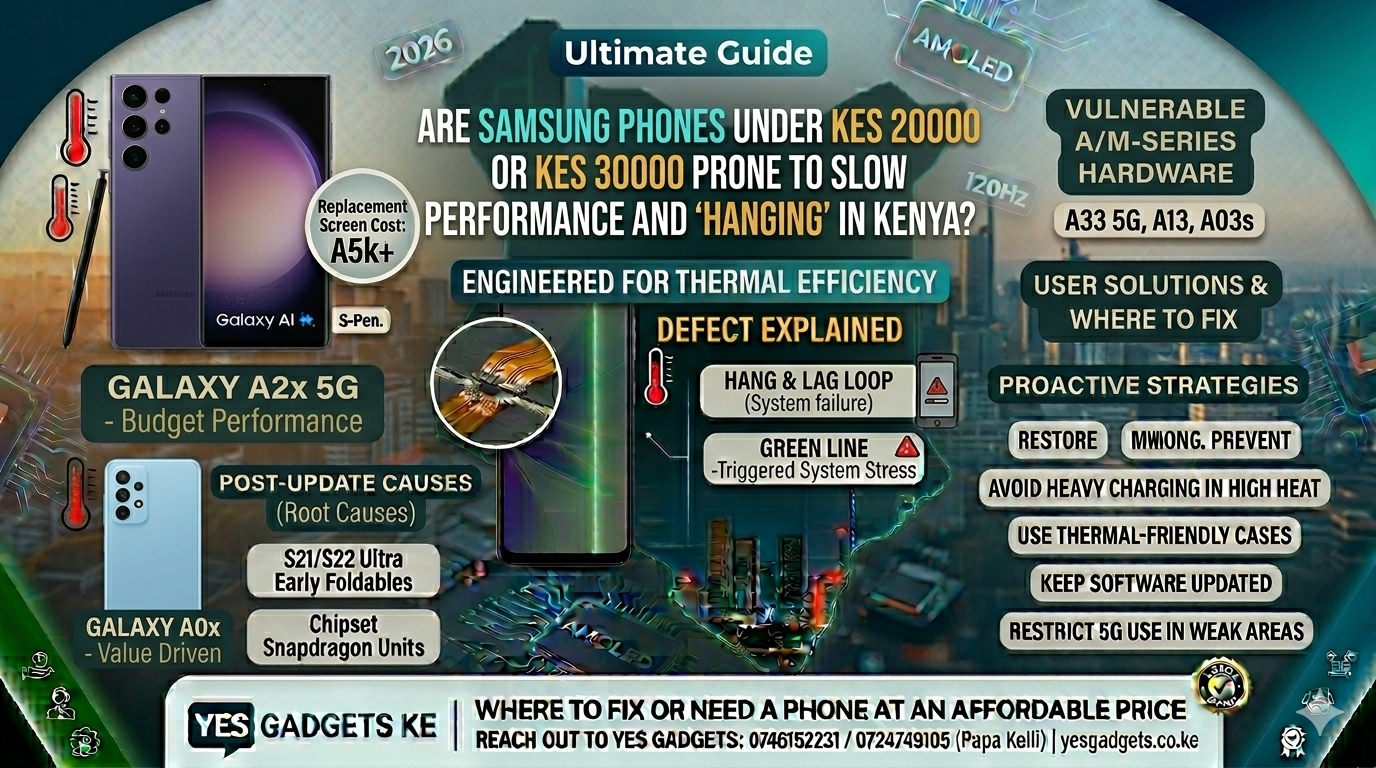
Are Samsung Phones Under Kes 20,000 or Kes 30,000 Prone to Slow Performance and “Hanging” in Kenya?
Samsung is the undisputed king of smartphones in Kenya. From the glossy high-rises of Upper Hill in Nairobi to the bustling open-air markets of Kisumu, the recognizable blue logo is everywhere. The brand is synonymous with quality displays, robust cameras, and a reliable user experience. However, there is a persistent anxiety that lingers in the minds of many Kenyan consumers, particularly those looking for devices on a strict budget: “If I buy an affordable Samsung, am I just buying a phone that will lag and ‘hang’ within a few months?”
This question is acute because the vast majority of Kenyan users purchase phones in the budget segment (under Kes 20,000) or the lower-mid-range segment (under Kes 30,000). The devices that dominate this price bracket are primarily the Galaxy A-series (like the A0x, A1x, and A2x models) and the M-series.
This comprehensive guide pulls no punches. We dive deep into the technical reality of why affordable Samsung phones can experience slow performance, analyze how Kenya’s specific environmental and infrastructural landscape amplifies these bottlenecks, and critically, determine which models are most prone to “hanging,” providing you with an essential purchase strategy.
The Core of the Problem: Why Budget Phones (Often) Feel Slow
To understand performance in an affordable Samsung, we must first understand the fundamental technical tradeoffs that engineers must make to meet those aggressive Kes 20,000 and Kes 30,000 price points. Slow performance or “hanging” is rarely a mystical curse; it is a direct consequence of hardware limitations.
1. Processing Power: The CPU (Processor) Divide
The processor is the brain of the phone. When you open WhatsApp, switch between apps, or scroll through Instagram, the CPU is doing the heavy lifting.
-
Flagships (S-Series): These phones utilize top-tier “System on a Chip” (SoC) architectures (either Qualcomm’s highest-end Snapdragon or Samsung’s premium Exynos) fabricated on advanced manufacturing nodes (e.g., 4nm or 3nm). These chips have immense processing reserves, multiple ultra-high-performance cores, and incredibly efficient energy usage.
-
Budget (Under Kes 20k/30k): To save costs, affordable phones use entry-level or mid-range SoCs. These chips often rely on older CPU core designs (e.g., Cortex-A53 or A55) and utilize less advanced fabrication nodes (e.g., 12nm, 8nm). This means they have significantly less raw processing power and are less energy-efficient. A task that takes a flagship CPU 0.1 seconds to process might take a budget CPU 1 second. That 1 second is felt by the user as “lag.”
2. The RAM (Random Access Memory) Bottleneck
RAM is the phone’s short-term memory. It stores the temporary data of the apps you are currently using.
-
Flagships: They pack 8GB, 12GB, or even 16GB of incredibly fast RAM. This allows the phone to keep dozens of complex apps open in the background without breaking a sweat. Switching between WhatsApp, YouTube, and Gmail is instant.
-
Budget (Under Kes 20k/30k): Entry-level phones often ship with 2GB, 3GB, or 4GB of RAM. In 2026, even simple apps have become resource-heavy. With only 3GB of RAM, your budget Samsung can only keep a few apps active in the background. As soon as you open a slightly heavier app, the phone must “kill” a background app to free up memory. When you switch back, the phone must reload that app from scratch. This constant app-killing and re-reloading creates a disjointed, slow experience that users identify as “hanging.”
3. The Performance Enemy: Storage Speed (UFS vs. eMMC)
This is a critical, often-overlooked factor. It’s not just how much storage you have (e.g., 64GB or 128GB), but how fast that storage is.
-
Flagships: They use lightning-fast UFS (Universal Flash Storage) technology (e.g., UFS 3.1 or UFS 4.0). UFS reads and writes data exponentially faster than older technologies. When you install an app or save a file, it’s near-instant.
-
Budget (Under Kes 20k/30k): Many entry-level budget phones still use the older eMMC (embedded MultiMediaCard) storage standard. eMMC is significantly slower. When the CPU needs data from storage to run an app, the eMMC bottleneck creates a localized bottleneck. The CPU is waiting for the storage. This “waiting” is experienced by the user as a temporary system “freeze” or “hang.”
4. Software Complexity: One UI vs. “One UI Core”
Samsung’s “skin” over Android, called One UI, is arguably the most feature-rich interface on the market. It offers a magnificent visual experience and massive ecosystem integration. However, that magnificent visual experience requires significant processing resources.
-
Flagships: The premium SoCs have the power to run the full, heavy version of One UI smoothly.
-
Budget (Under Kes 20k/30k): To mitigate the hardware limitations, Samsung installs a simplified version of its interface called One UI Core on its budget devices. “Core” removes several heavy visual effects, animations, and some advanced features. Even with “One UI Core,” the operating system can still place sustainable stress on the limited hardware, particularly after months of use as the phone accumulates “system bloat.”
Special Offer!! Buy Samsung Galaxy S21 Ultra 128GB + 12GB Ram 5G Dual Xuk/ X-uk/ Exuk/ Ex-uk OFFER NOW at 20% Discount. Click Below to Buy
Samsung Galaxy S21 Ultra 128GB + 12GB Ram 5G Dual Xuk/ X-uk/ Exuk/ Ex-uk OFFER
Kenyan Context: Environmental and Infrastructural Amplifiers
While the fundamental technology causes heat, the unique environment and infrastructural landscape in Kenya often act as an accelerant, making performance issues much worse than in temperate climates.
1. High Ambient Temperatures (Heat Stress)
A phone, already working hard with limited hardware resources, behaves differently in the equatorial heat of Kenya. In locations like Mombasa, Kisumu, or the northern arid regions, ambient temperatures regularly exceed 30°C.
As established in our previous detailed guides (e.g., Sustained Performance in 2026 or Green Line Defect in Kenya), heat is the primary enemy of sustainable performance. A smartphone designed for a test bench in Seoul (ambient 22°C) cannot effectively dissipate its maximum internal heat into the warm, humid Kenyan air.
When a budget CPU or the power-hungry 5G modem pushes performance limits, internal temperatures spike. To prevent catastrophic hardware damage (thermal fatigue), the phone’s operating system initiates thermal throttling, intentionally slowing down the CPU and GPU clock speeds. This prevents permanent damage, but instantly reduces the already limited processing capacity. A phone that feels marginally smooth might, after becoming uncomfortably hot to the touch, become frustratingly slow and prone to “hanging” due to thermal throttling.
2. Emerging 5G Network Infrastructure (Modem Heat Stress)
In 2026, 5G is the connectivity expectation. Samsung’s A-series devices (like the A26/A16 5G) have integrated 5G modems. However, 5G infrastructure deployment (by Safaricom and Airtel Kenya) remains inconsistent outside of major urban hubs.
As discussed in Post-Update Motherboard Failure in Kenya, inconsistent coverage often forces phones into “cell edge” situations or causes constant “ping-ponging” as the device searches for a stable 5G signal or falls back to 4G/3G. When a phone is continuously searching for a weak 5G signal, the integrated modem must broadcast at maximum power. Constant maximum-power modem operation is a massive generator of heat, placing immense thermal stress on the compact motherboard before any app is even opened. This pre-update heat generation means budget phones reach critical thermal thresholds (and the ensuing performance throttling cliff) much faster in Kenya’s network conditions.
Identifying the Susceptible Devices: Which Phones under Kes 20k/30k Struggle?
Slow performance issues on budget Samsung phones cluster around specific generations of internal components and the conflict between maximum power and thermal efficiency. Based on widespread user reports and technical analysis within the Kenyan market, the following categories are the most prone:
1. The Vulnerable Flagship Generations (The Pre-Throttling Struggle)
While not “budget” when new, many Kenyan consumers purchase pre-owned units from specific older flagship generations, like the S20 or S21 series, because their cameras and build quality remain magnificent. However, their internal hardware (modem and CPU) often pre-stresses the motherboard long before an update even occurs.
-
Focus Model: Galaxy S21 Ultra (Exynos Models): The Exynos 2100 chipset was notorious for thermal challenges. Users consistently reported significant framerate drops (lag) after just 15–20 minutes of heavy load (required for online gaming or large data downloads). The combined effect of improved cooling and efficient chipsets in newer generations significantly reduces the likelihood of the motherboard reaching the critical thermal thresholds that cause POST-UPDATE failure. This generation is perhaps the most notorious sufferers of both the “Green Line” defect and catastrophic motherboard failure post-update, both rooted in the same thermal stress loop.
-
Focus Model: Galaxy Z Fold 3 / Z Flip 3 (Exynos Options): Early foldable devices faced extreme engineering challenges in terms of thermal dissipation and physical space. Tightly packed internals meant that heat generated by the power-hungry modem and CPU had nowhere to go, placing immense thermal stress on the compact mainboard. Kenyan users of these specific early foldables, which often lacked advanced cooling systems found in later models, frequently report rapid overheating and concomitant lag, particularly in warm regions.
2. Specific Budget A-Series (The eMMC/RAM Struggle)
Samsung’s mid-range A-series dominate the Kenyan market. However, certain A0x, A1x, and A2x models have been particularly susceptible, particularly those using older, power-hungry eMMC storage or limited RAM configurations.
-
Focus Model: Galaxy A33 5G (Exynos 1280): The A33 5G, while designed to bring 5G to the mid-range, struggled with thermal management challenges. Kenyan users consistently report rapid overheating during routine competitive gaming. The lack of robust vapor chambers common in newer flagships means the device rapidly reaches thermal limits. This leads to frustrating performance slowdowns (thermal throttling) and frequent reports of data connections stalling (network lag) as the phone prioritizes cooling the processor over maintaining maximum modem power.
How to Manage Lag on Your Current Samsung
If you own one of the vulnerable devices, you can take proactive steps to minimize the risk of total component failure and maximize sustainable performance:
-
Avoid Overheating: Heat is the critical trigger. Never game extensively while the phone is charging, particularly outdoors in the sun. If the phone gets hot, stop using it and allow it to cool immediately.
-
Use Optimized Settings: Restrict background processing. Samsung’s Device Care options often include power modes that restrict CPU performance. Limiting performance can reduce heat, which inadvertently helps the delicate modem maintain a stable, lower-power connection.
-
Regular Software Updates: It sounds counterintuitive, but Samsung frequently issues firmware patches that optimize modem behavior, thermal thresholds, and update procedures, making future updates safer.
-
Avoid Heavy Usage: Recognize that your entry-level processor and RAM are limited. Minimize demanding multitasking.
Purchase Strategy: How to Find an Affordable Samsung that Won’t Lag
This is the most critical question. How do you find a robust budget phone? Focus on these metrics, not just the model number or price.
1. Aim for the “Kes 25k–Kes 30k” Sweet Spot
If your budget allows, prioritize the lower-mid-range segment (Kes 25,000 to Kes 30,000). At this price point, you are more likely to find devices that move away from entry-level Exynos chipsets (or weak MediaTek chipsets) and utilize more power-efficient mid-range processors (like newer MediaTek Dimensity or Qualcomm Snapdragon series). Crucially, these devices are also much more likely to utilize fast UFS storage (e.g., UFS 2.1 or 2.2) and a robust 6GB RAM configuration. This modest increase in budget delivers a disproportionately large jump in sustainable, smooth performance.
2. Prioritize 6GB RAM Configurations
Do not buy a phone with less than 4GB of RAM in 2026. 4GB is the bare minimum for One UI to run marginally smoothly with just WhatsApp, Gmail, and a browser open. For a genuinely smooth multi-tasking experience, prioritize a 6GB RAM configuration. This gives the operating system enough headroom to manage background processes effectively without constant app-killing and re-loading, directly reducing “hanging.”
3. Seek Models with UFS Storage
You must do your research. Before purchasing, verify the storage technology used in the specific phone model you are considering. Aim for phones with UFS 2.x or UFS 3.x storage. Phones using slower eMMC 5.1 storage are vastly more susceptible to localized freezes and system “hesitations” when loading large apps or saving files.
4. Certified Pre-Owned Flagships: The Alternate Strategy
As discussed in Sustained Performance in 2026, an increasingly common and smart strategy for Kenyan buyers is to specifically look for pre-owned flagship units from the S21 or S22 series (particularly the Snapdragon variants). While pre-owned, their camera systems and premium build quality remain vastly superior to anything available new under Kes 30,000. Crucially, these devices are built with fast UFS storage and robust RAM configurations (e.g., 8GB or 12GB), making them inherently smoother and more robust than a new A-series, provided they are in excellent technical condition and utilized with proactive thermal management strategies.
Where to Fix or Need a Phone at an Affordable Price
This complex intersection of emerging 5G networks, equatorial heat, and specific phone vulnerabilities requires a service provider who truly understands the Kenyan tech landscape. We have established that performance bottlenecks are hardware limitations amplified by environmental stress. Therefore, you need solutions that address these fundamental factors.
Whether you are a current owner struggling with an overheating A33, or a potential buyer in Nairobi looking for a reliable device that won’t fail in the heat, reach out to YES Gadgets KE at yesgadgets.co.ke.
Why Choose YES Gadgets KE?
In direct relation to the topics discussed above, YES Gadgets KE provides solutions that address the primary pain points of the Kenyan smartphone market:
-
Expert, Accountable Motherboard Servicing and Component Diagnostis: We highlighted that “Motherboard Failure” after updates is often a component issue linked to thermal fatigue and stress on delicate BGA chipsets. At YES Gadgets KE, we understand that a proper fix requires more than just a component swap; it requires expert diagnosis and component-level servicing, including thermal paste replacement and motherboard diagnostics. We are one of the few places in Kenya with technicians trained to assess the integrity of delicate motherboard connections and camera assemblies, cutting through the inflated markups often found in large, authorized repair centers.
-
Expert Knowledge of the Kenyan Market: Our staff in HH Towers Shop 505 are intimately familiar with the real-world performance of these phones in Kenya. They can provide genuine advice, steering you away from problematic older models and recommending newer Samsung devices known for excellent thermal performance on local 5G networks, preventing expensive purchasing mistakes.
-
Affordable and Certified Pre-Owned Samsung Devices: If your current device is a victim of irrecoverable motherboard failures, or if you need to upgrade to a device with proven local reliability, YES Gadgets KE offers a wide range of affordable, certified pre-owned Samsung phones. We rigorously test our pre-owned stock to ensure signal stability and thermal performance on Kenyan networks before they are sold, giving you peace of mind that your new purchase will actually connect.
-
Authenticity and Accountability: In a market often flooded with refurbished units that fail on arrival, YES Gadgets KE prioritizes genuine, high-quality electronics. When you purchase or repair a device with us, you get a clear breakdown of the service, genuine parts, and an accountable guarantee, which is crucial when dealing with complex connectivity problems.
Don’t let the technical complexities of modern smartphone design limit your digital life in Kenya. Whether your current Samsung is overheating or you are in the market for a reliable, affordable phone, YES Gadgets KE provides the localized expertise and accessible solutions you have been looking for.https://yesgadgets.co.ke
Visit yesgadgets.co.ke today or visit their shop in Nairobi CBD, HH Towers Shop 505, to get professional advice that makes sense in the Kenyan context.